My Plan
You can access the plan page via the left sidebar under "My Plan."
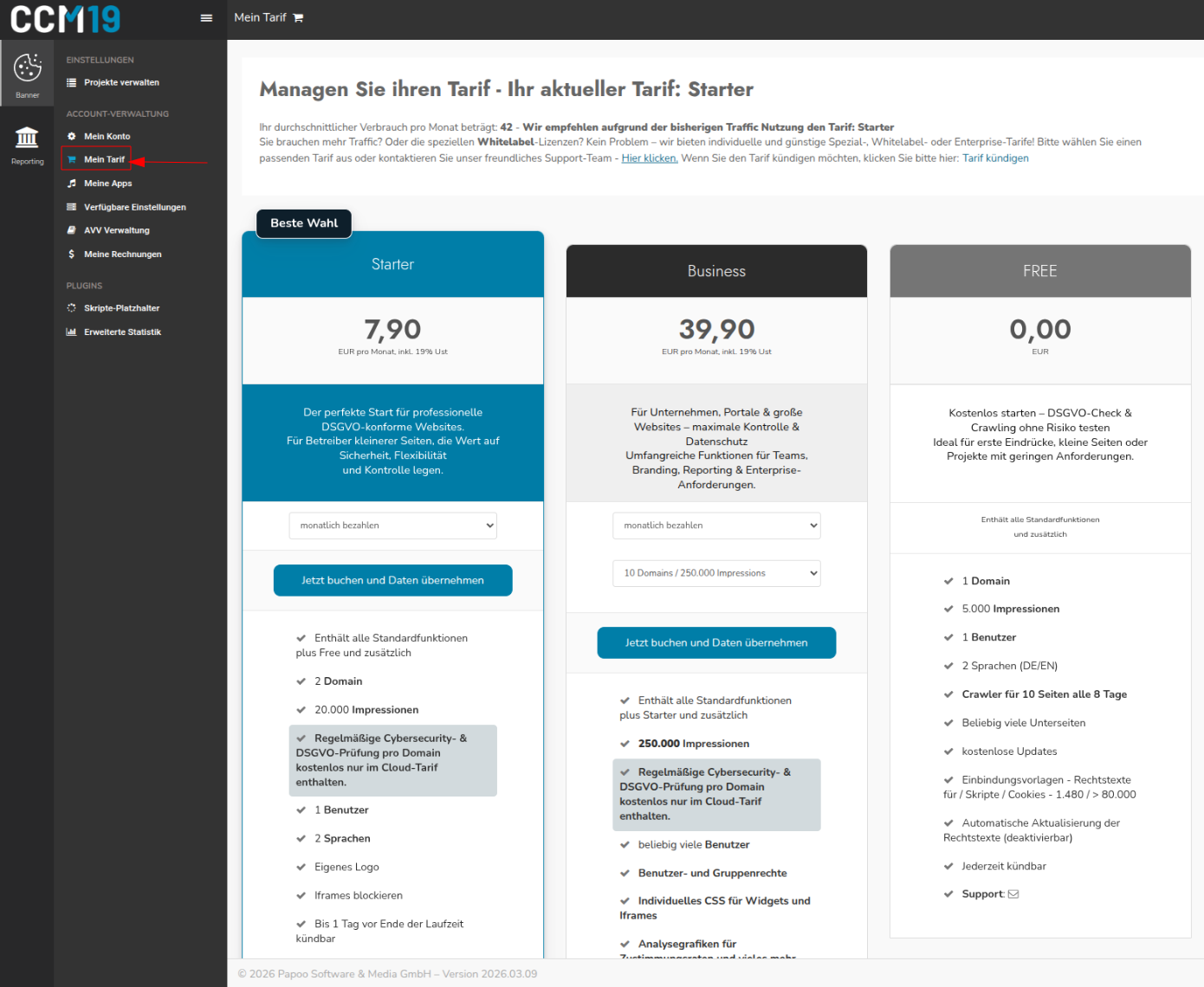
On this page, you can:
- sign up for a new plan or upgrade
- click the "Click here" link to open a contact form to request Whitelabel-, Special-, or Enterprise-plans.
- Cancel your existing plan
- View your current plan and your average monthly impressions—that is, how many CookieManager-requests your projects use per month
Clicking the "Book Now and Transfer Data" button will take you to checkout, where you can book and pay for the selected plan. Up-, and downgrades are also possible this way.
How does a plan change work?
When you sign up for a different plan, your current contract will be terminated and a new contract with the selected term will begin. This means there’s no risk of accidentally entering into a second contract at the same time—the old plan will be replaced.
If you have any questions, please contact Support, who will be happy to assist you.